Independent shops without dedicated in-house IT staff
Cybersecurity & AI Advice for Local Retail
Local Retail Shops
Blueforce partners with retailers to protect business information and make technology more useful. We combine cybersecurity, dependable checkout and inventory systems, and AI consulting to evaluate available tools and support adoption that fits your store, budget, and staff.
Advice shaped around your businessCybersecurity and secure AI adoptionConsulting through implementation

Who we partner with
The teams and operating environments this approach is designed to support.
Retailers that connect a store POS with ecommerce and inventory tools
Small retail groups that need consistent device and account practices across locations
Owners who need a tested procedure for checkout, internet, or stock-sync interruptions
How the work gets done
The people, systems, and handoffs that keep daily operations moving.
A checkout transaction depends on the register, local network, internet connection, payment terminal, and processor
Inventory changes may need to pass between the POS, online store, warehouse, and supplier tools
Back-office computers often hold exports, invoices, payroll files, and vendor credentials
Shared register or manager accounts make staff changes harder to trace and revoke
When systems disagree about stock, employees need an approved source and reconciliation process
Systems your team depends on
The technology and handoffs that shape security, reliability, and support priorities.
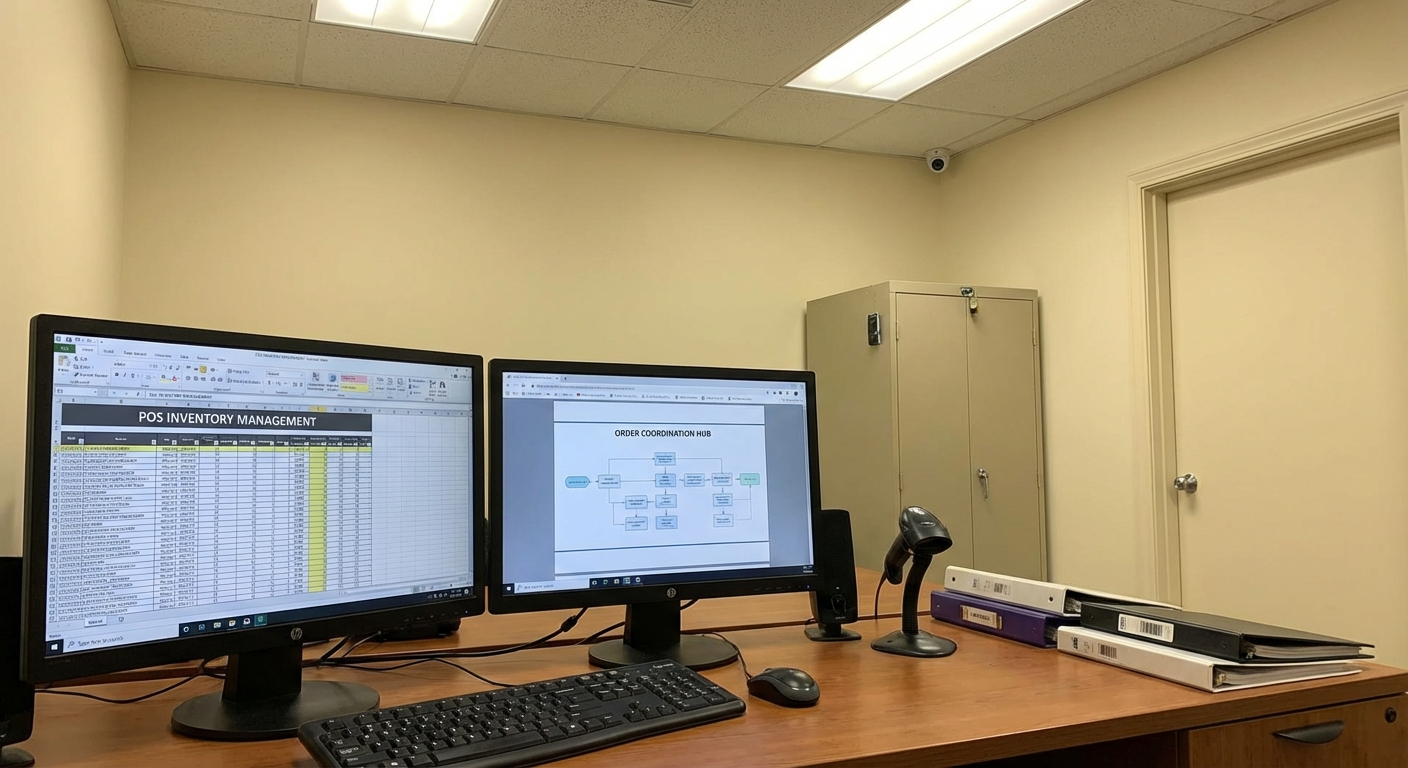
Your business priorities guide the advice
We connect your critical systems, security risks, and workflows to a practical plan, including where available AI tools could help and how to adopt them responsibly.
Where operations break down
Recurring technology problems that create delays, extra work, or avoidable exposure.
Registers or card terminals lose connectivity during store hours
Online and in-store inventory counts do not match
Store tablets and back-office computers have inconsistent settings or updates
Staff or vendors have more access than their work requires
The POS, ecommerce, internet, and payment providers each own only part of an incident
Risks to plan around
Where downtime, access gaps, and outside dependencies can disrupt this type of organization.
A flat store network can let a compromised guest or noncritical device reach business equipment
Unremoved staff and vendor accounts can retain access to sales, stock, or customer records
Locally saved reports and spreadsheets may contain customer or employee information
Without reconciliation steps, an outage can leave duplicate transactions or inaccurate stock counts
Compliance considerations
The rules and frameworks that may affect security controls, documentation, and operating decisions.
PCI DSS
Retailers that accept cards have responsibilities for the systems and processes within their payment environment.
Security and technology considerations: We can map payment-adjacent devices, review network and account boundaries, and document evidence for your processor or PCI assessor. We do not certify compliance.
FTC Data Security Guidance
FTC guidance recommends safeguards appropriate to the customer, employee, and commercial information a retailer collects and keeps.
Security and technology considerations: We review stored reports, account permissions, retention practices, and the response steps for suspected loss or exposure.
CISA Small Business Cybersecurity Guidance
CISA guidance offers baseline practices for protecting accounts, devices, backups, and business operations.
Security and technology considerations: We compare store practices with those basics and assign specific configuration, documentation, and testing tasks.
Consulting, implementation, and ongoing support
A partner to assess cybersecurity priorities, evaluate AI offerings, and support implementation alongside the IT your team depends on.
Cybersecurity and managed IT
Retail Cybersecurity & Store Systems
Focus first on the registers, inventory tools, networks, devices, and accounts used to sell and fulfill orders.
- • Inventory of registers, payment terminals, store devices, network equipment, platforms, and vendors
- • Configured separation for guest access, business devices, and payment-adjacent equipment where supported
- • Named staff accounts, role permissions, and manager-owned access changes
- • Written procedures for checkout, internet, ecommerce, and inventory interruptions
AI consulting and implementation
AI Consulting for Retail Operations
Assess available AI offerings for product-content drafts, inventory reporting, internal knowledge, and staff coordination. We compare cost, POS and ecommerce integration, data quality, customer-data handling, and review effort before recommending adoption.
- • AI opportunity assessment focused on store priorities, recurring tasks, and staff capacity
- • Comparison of AI offerings and existing POS or ecommerce features for cost, integration, and vendor data terms
- • Adoption plan with approved data, staff training, review duties, and exception handling
- • Implementation support for an agreed pilot with accuracy and usefulness checks and a way to disable it
An example phased sequence
This is an illustrative order of work, not a delivery guarantee. We agree on timing after assessing the environment, scope, and operating constraints.
Days 1-30
Map sales and inventory systems and correct urgent access gaps.
- • Trace an in-store sale, an online order, and an inventory adjustment through each system
- • Record equipment, platforms, vendor contacts, and store-level owners
- • Remove stale accounts and correct shared or overly broad permissions
- • Discuss retail AI opportunities, existing platform capabilities, customer-data boundaries, and staff review needs
Days 31-60
Configure store devices and test recovery procedures.
- • Separate guest, operational, and payment-adjacent traffic where equipment allows
- • Apply agreed account, update, and endpoint settings to in-scope devices
- • Practice the retailer's approved offline or alternate checkout procedure
- • Compare AI offerings against POS and ecommerce integration, cost, data quality, and access requirements
Days 61-90
Build the procedures into regular store management.
- • Review incidents by location, register, platform, and vendor
- • Add account and device steps to employee onboarding and departure
- • Pilot an agreed AI workflow with staff review and decide whether to continue, adjust, or disable it
- • Repeat a checkout or stock-sync exercise and revise the runbook
How the work stays on track
Clear ownership and an agreed order of work keep each phase accountable and manageable.

Work planned around your operations
We help you compare options, agree on priorities, and put the plan into practice. Each phase has an owner, review points, and timing that fits your operations.
Controls to address first
Security and operational practices to evaluate early in the engagement.
Trace in-store sales, online orders, returns, and stock changes between systems
Separate guest access from store and payment-adjacent devices where possible
Use individual accounts and permissions matched to each retail role
Keep an approved checkout fallback at every register location
Remove former employee and inactive vendor access promptly
Confirm what store-owned data is backed up and practice restoring a sample
Keep POS, payment, ecommerce, internet, and inventory contacts together
Reconcile transactions and stock after every material system interruption
Plans for common disruptions
How to prepare for and respond to incidents that can interrupt this kind of operation.
Registers Lose Service While the Store Is Open
Trigger: One or more registers cannot complete transactions or reach the payment service.
First response: Check whether the failure is limited to one device, the store network, or a provider; assign the vendor call; and use the retailer's approved alternate checkout process.
Stabilization: Test each register and payment terminal, reconcile offline or duplicate transactions with the processor, and record the failed component.
Online and Store Inventory Stop Matching
Trigger: The ecommerce site, POS, or inventory platform shows conflicting quantities for the same items.
First response: Identify the last reliable update, pause the affected sync or listings when appropriate, assign an owner, and preserve reports needed for comparison.
Stabilization: Reconcile affected items against the agreed source, test a controlled update through each integration, and document the cause and correction steps.
Unexpected Access to Store Systems
Trigger: A manager sees an unfamiliar login, customer export, refund, inventory change, or account setting.
First response: Disable or reset affected access through an approved administrator, end active sessions, preserve available logs, and check connected email and ecommerce accounts.
Stabilization: Review the functions and records the account could reach, correct permissions and authentication settings, and document notification decisions based on confirmed facts and applicable obligations.
Frequently asked questions
Answers about cybersecurity, AI consulting, and technology support for local retail shops.
Can you work with a small team that has no IT department?
Yes. We assign technical tasks to our team and keep the store's responsibilities limited to named decisions, vendor authorization, and short procedures managers can follow.
Do we need to replace our POS or inventory platform?
Not by default. We first document the current integrations, equipment, access, and vendor support path. Replacement is considered only when the existing tool cannot meet the agreed requirements.
How do you avoid interrupting store hours?
We agree on maintenance windows, prepare a fallback or rollback for each change, and test checkout and stock functions before returning the system to staff.
Can you help us choose AI tools for a small retail team?
Yes. We compare available AI offerings and capabilities in your current POS or ecommerce platform. We assess workflow fit, costs, integration, data handling, and staff review, then help implement an agreed pilot with accuracy checks and a clear way to disable it.
Plan your store’s cybersecurity and AI priorities
Tell us how you sell, manage stock, and handle recurring work. We’ll help define cybersecurity priorities, evaluate AI options, and scope consulting or implementation that fits your store and team.